第二节 消失的留言实践
【任务描述】
在网页交互设计中,除了页面布局(空间控制),时间控制也非常重要。本节任务要求大家开发一个"消失的留言"动态文本展示效果:一段段文字会按时间顺序依次显示和消失。
这个任务需要我们学习 JavaScript 的异步编程。通过使用 setTimeout 定时器,结合 DOM 操作和 CSS 样式,实现文字的定时切换动画效果。
【实现思路】
1. JavaScript 的异步执行
JavaScript 是单线程的,也就是说同一时间只能执行一个任务。如果我们用传统的等待方式来控制文字显示间隔,会导致页面卡住不动(假死)。
所以我们需要使用异步编程。setTimeout 就是一个异步定时器函数,它不会让页面卡住,而是在指定的时间后执行一段代码。这样我们就可以实现文字的定时切换效果。
2. 文字的显示与隐藏
我们会通过 JavaScript 来控制每段文字的显示和隐藏。当一个时间段结束时,隐藏当前文字,显示下一段文字,并通过 CSS 样式改变文字颜色和阴影效果,让动画更美观。
【任务实施】
任务一:创建 HTML 结构
首先创建 HTML 文档,添加要显示的文本内容:
<!DOCTYPE html>
<html lang="zh-Hans">
  <head>
    <meta charset="UTF-8" />
    <meta name="viewport" content="width=device-width, initial-scale=1.0" />
    <title>异步时间轴 - 消失的留言</title>
    <link rel="stylesheet" href="style.css">
  </head>
  <body>
    <main class="container">
        <section class="timeline">
            <p class="caption">好戏即将开始</p>
            <p class="caption1">时光,浓淡相宜;人心,远近相安。流年,长短皆逝;浮生,往来皆客。</p>
            <p class="caption2">不必行色匆匆,不必光芒四射,不必成为别人,只需做自己。</p>
            <p class="caption3">青山有花开,绯雪重峦,滴滴胭脂泪。</p>
            <p class="caption4">青山有花谢,细条空垂,枝枝亡人归。</p>
            <p class="caption5">我曾以为形同陌路,是我们之间无解的结局。</p>
            <p class="caption6">但邀天之幸,待我回首望去,你还愿在这里。</p>
            <p class="caption7">愿我们能以蓦然一眼为始,以相伴一生为终。</p>
            <p class="caption8">完</p>
        </section>
    </main>
    <script src="script.js"></script>
  </body>
</html>
任务二:Flexbox 布局与交互
在 CSS 中,使用 Flexbox 布局让文字在页面正中央显示。
注意:caret-color: transparent; 可以隐藏鼠标点击文本时出现的输入光标,让效果更像电影字幕。
body {
  margin: 0; /* 剥离浏览器默认物理边界 */
}

.container {
  font-size: 30px;
  display: flex; /* 激活弹性上下文 */
  justify-content: center; /* 主轴绝对居中 */
  align-items: center; /* 交叉轴绝对居中 */
  min-height: 100vh; /* 弹性高度:强制占据 100% 视口高度 */

  cursor: pointer; /* 交互暗示重置 */
  caret-color: transparent; /* 视图优化:强制销毁系统输入光标渲染 */
  padding: 0 15px; /* 移动端边界安全缓冲 */
}
任务三:获取 DOM 节点并隐藏
在 JavaScript 中,首先需要获取 HTML 中的所有文本节点。使用 document.querySelector 方法可以获取页面中的元素。
然后,把除了第一段文字外的所有文字都隐藏起来,准备后续按时间显示。
// 1. 获取所有文本节点
const caption = document.querySelector(".caption");
const caption1 = document.querySelector(".caption1");
const caption2 = document.querySelector(".caption2");
const caption3 = document.querySelector(".caption3");
const caption4 = document.querySelector(".caption4");
const caption5 = document.querySelector(".caption5");
const caption6 = document.querySelector(".caption6");
const caption7 = document.querySelector(".caption7");
const caption8 = document.querySelector(".caption8");

// 2. 隐藏所有后续文字,只显示第一段
caption1.style.display = "none";
caption2.style.display = "none";
caption3.style.display = "none";
caption4.style.display = "none";
caption5.style.display = "none";
caption6.style.display = "none";
caption7.style.display = "none";
caption8.style.display = "none";
任务四:使用 setTimeout 控制时间轴
这是实现动态效果的核心。我们使用多个 setTimeout 定时器,让每段文字按时间顺序显示。
每个定时器会在指定时间后执行:隐藏当前文字,显示下一段文字,并设置文字颜色和阴影效果。
// 使用 setTimeout 设置定时任务,控制文字依次显示

// 3秒后显示第一段文字
setTimeout(function () {
  caption.style.display = "none"; // 隐藏"好戏即将开始"
  caption1.style.display = "block"; // 显示第一段文字
  caption1.style.color = "#3399cc"; // 设置文字颜色
  caption1.style.textShadow = "2px 2px 5px rgb(0, 0, 0)"; // 添加阴影
}, 3000);

// 6秒后显示第二段文字
setTimeout(function () {
  caption1.style.display = "none";
  caption2.style.display = "block";
  caption2.style.color = "blue";
  caption2.style.textShadow = "2px 2px 5px rgb(107, 212, 154)";
}, 6000);

// 9秒后显示第三段文字
setTimeout(function () {
  caption2.style.display = "none";
  caption3.style.display = "block";
  caption3.style.color = "aqua";
  caption3.style.textShadow = "2px 2px 5px rgb(7, 34, 122)";
}, 9000);

// 12秒后显示第四段文字
setTimeout(function () {
  caption3.style.display = "none";
  caption4.style.display = "block";
  caption4.style.color = "blueviolet";
  caption4.style.textShadow = "2px 2px 5px rgb(77, 5, 80)";
}, 12000);

// 15秒后显示第五段文字
setTimeout(function () {
  caption4.style.display = "none";
  caption5.style.display = "block";
  caption5.style.color = "chartreuse";
  caption5.style.textShadow = "2px 2px 5px rgb(0, 0, 0)";
}, 15000);

// 18秒后显示第六段文字
setTimeout(function () {
  caption5.style.display = "none";
  caption6.style.display = "block";
  caption6.style.color = "#ff0000";
  caption6.style.textShadow = "2px 2px 5px rgb(7, 34, 122)";
}, 18000);

// 21秒后显示第七段文字
setTimeout(function () {
  caption6.style.display = "none";
  caption7.style.display = "block";
  caption7.style.color = "blanchedalmond";
  caption7.style.textShadow = "2px 2px 5px rgb(102, 4, 4)";
}, 21000);

// 23秒后显示结束文字
setTimeout(function () {
  caption7.style.display = "none";
  caption8.style.display = "block"; // 显示"完"
}, 23000);
【课程思政】
代码也是文化的表达方式
在这个项目中,我们加入了富有中国传统文学色彩的诗句(比如"时光,浓淡相宜;人心,远近相安")。代码不仅仅是冷冰冰的程序指令,更是传承文化的现代方式。作为新时代的前端开发者,我们应该具备人文素养,用现代的数字技术来展现中国传统文化之美,探索科技与人文结合的无限可能。
【运行效果】
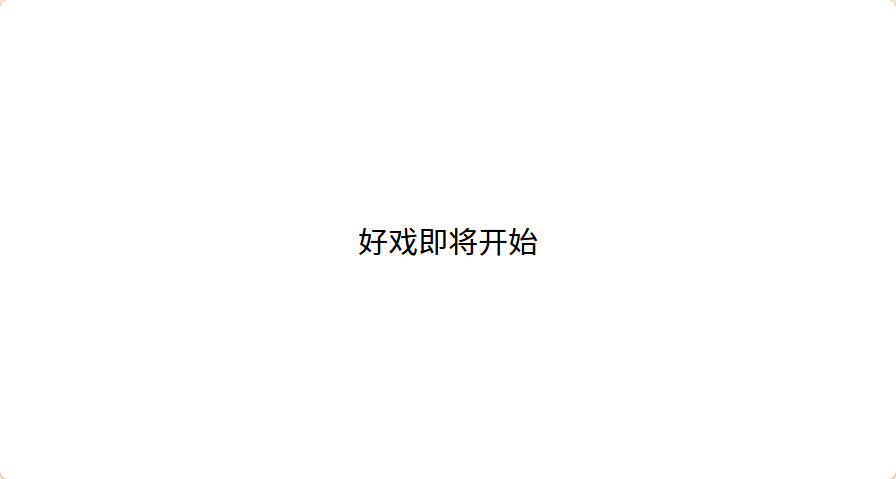
保存代码并在浏览器中打开。 您会看到:页面一开始只显示"好戏即将开始",然后每隔3秒左右,文字会自动切换,一段一段优美的文字依次出现,最后显示"完"字结束。整个过程就像在看一场用代码编写的"数字诗"。
您也可以直接访问在线演示页面查看效果:在线演示